Remodeling estimating software built for kitchens, baths and whole-home renovations
Remodeling estimating software turns measurements, materials and labor into an accurate, itemized quote you can hand a homeowner in minutes instead of evenings. The right tool prices every line from current local costs, lets the client choose finishes and keeps your margin intact when the scope changes.
Remodels are harder to estimate than new builds. You are working inside an existing home with unknowns behind every wall, clients who change their minds about finishes, and a sales cycle where the homeowner is collecting two or three other quotes at the same time. Good home remodeling software is built for exactly that.
Why remodeling estimates are so hard to get right
Every remodeler knows the question: "Roughly what does a kitchen cost?" There is no honest single number. Costs swing by region, by the age of the house, by the finish level and by what you find when the old cabinets come out. That is why spreadsheet estimating breaks down on remodels:
- Too many variables: cabinets, counters, tile, fixtures, electrical and plumbing each have their own quantities and labor.
- Outdated prices: a spreadsheet built last year does not know what drywall or tile costs this month.
- Missed scope: small items like trim, fasteners, grout and disposal are easy to forget, and every one of them comes out of your margin.
- Revisions: every time the client swaps a finish, you rebuild the quote by hand.
Kevin at Prestige Home Renovations described the old way well: late-night estimates where he would "literally give away a kitchen sink at midnight, dozing at the computer."
How to estimate a kitchen or bathroom remodel: a step-by-step method
Whether you use software or not, a reliable remodel estimate follows the same steps.
- 1. Measure once, accurately: capture room dimensions, wall areas, linear feet of cabinets and counters, and tile areas for floors and shower walls.
- 2. Break the job into assemblies: demolition, framing and drywall, plumbing rough-in, electrical, cabinets, counters, tile, fixtures, paint and finish carpentry. Each assembly carries its own materials and labor.
- 3. Price labor by task, not by gut feel: use your own production rates (for example, square feet of tile set per day) multiplied by your loaded labor rate.
- 4. Add the small stuff: fasteners, adhesives, grout, protection, dumpster and permits.
- 5. Add contingency: remodels carry more unknowns than new builds. A 10% to 20% contingency is common for remodeling work.
- 6. Apply markup to cover overhead and profit: know the difference between markup and margin so your percentage actually delivers the profit you expect. Our general contractor markup guide walks through the math.
- 7. Offer options: present good, better and best finishes so the client can choose instead of shopping your price.
Here is an illustrative example. A bathroom floor of 85 sq ft and 120 sq ft of shower wall tile, at an assumed installed cost of $15 per sq ft for floor tile and $19 per sq ft for wall tile, comes to $1,275 plus $2,280, or $3,555 before markup. If the client upgrades the wall tile, only that line changes, and the total updates. That is the logic remodeling estimating software automates.
What to look for in home remodeling software
- Assemblies for common rooms: pre-built kitchen, bath and basement assemblies that include both materials and labor.
- Live local pricing: material and labor costs that reflect your region today, not last year.
- Digital takeoff: measure from plans, photos or satellite imagery and link the dimensions to your items.
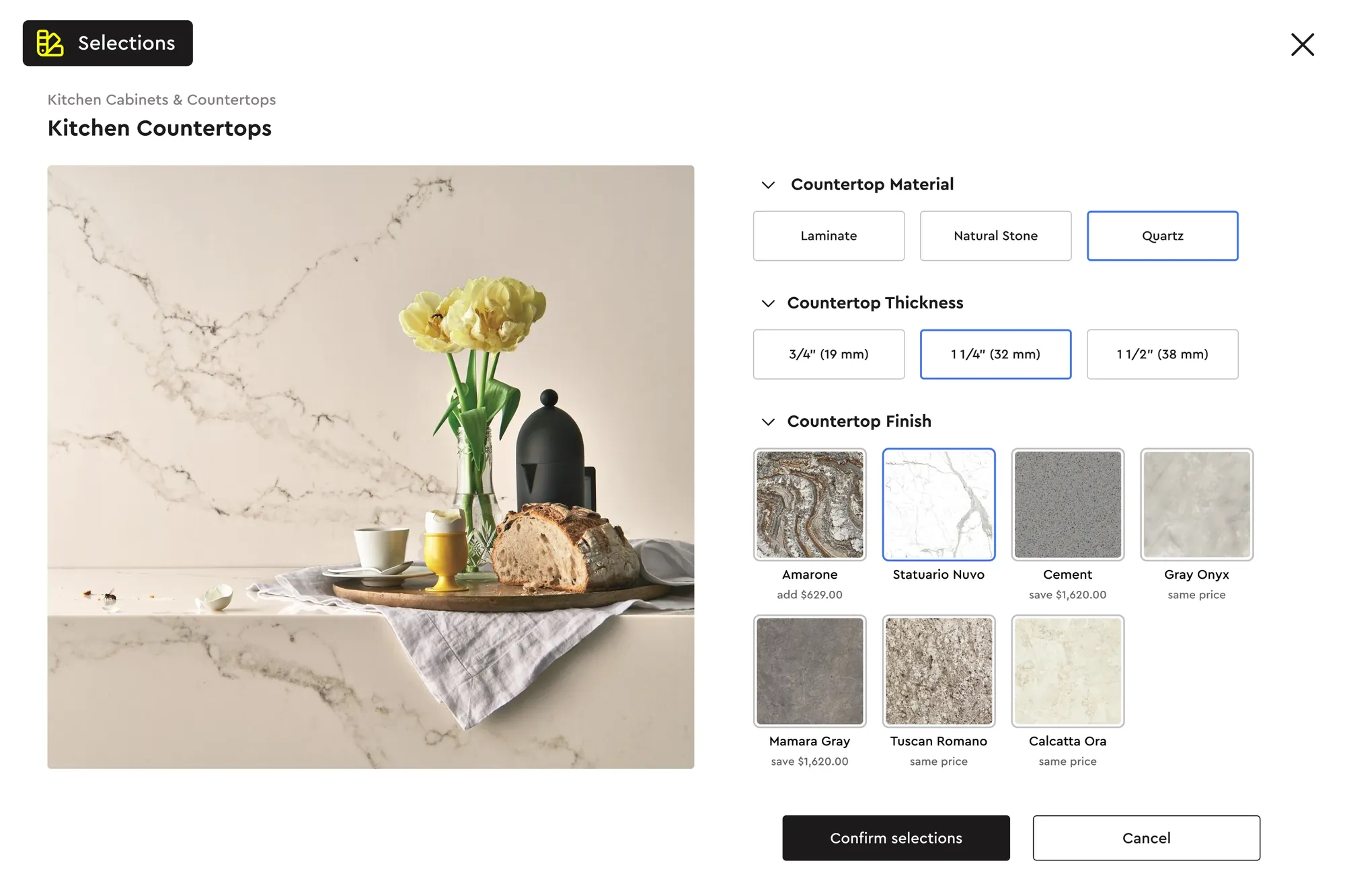
- Client selections: let homeowners choose finishes and see the price change in real time.
- Change orders: revisions tracked, versioned and signed digitally.
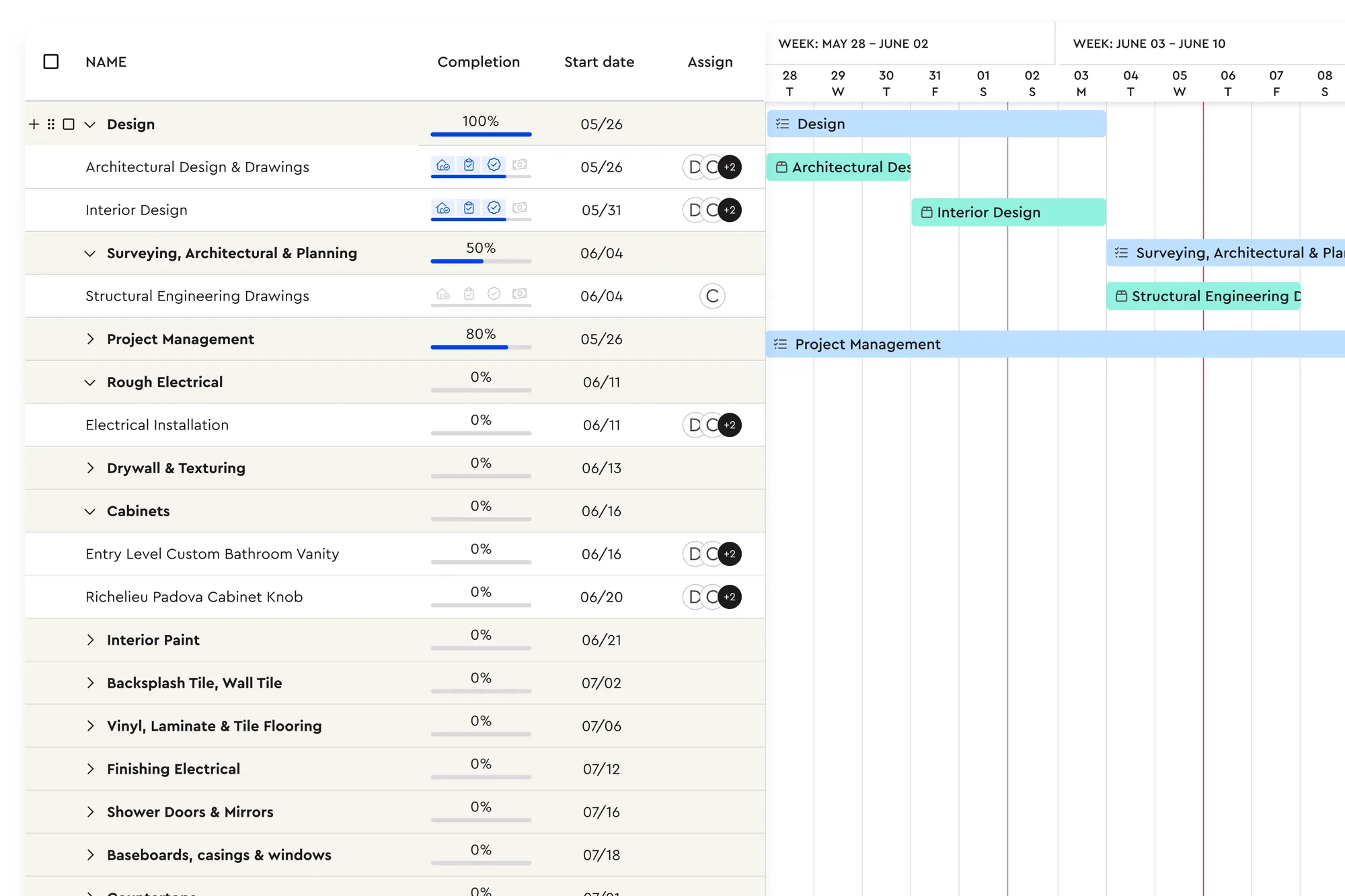
- Hand-off to the job: the signed estimate becomes a schedule, material list and budget.
- Payments: deposits and progress payments collected online.
Kitchen, bathroom and whole-home estimates: what changes
The method is the same, but each type of remodel has its own traps.
- Bathrooms: small rooms, many trades. Tile layout, waterproofing, plumbing fixture rough-ins and ventilation drive the cost. Price tile by area and pattern, because a herringbone floor takes far longer to set than a straight lay. Count every accessory, from grab bars to niches.
- Kitchens: cabinets and counters dominate the budget, so measure linear feet carefully and price counters from the actual template, including cut-outs and edges. Appliance changes often trigger electrical and venting work that is easy to miss.
- Basements: framing, insulation, drywall, egress and moisture management. Check ceiling height and existing mechanicals early, since moving ductwork or plumbing changes the scope.
- Whole-home renovations and additions: treat each area as its own assembly group, then add the shared costs: permits, engineering, temporary protection, dumpsters and project management time. Hidden conditions are more likely here, so your contingency should be too.
Present the remodel quote so it wins
Homeowners compare remodel quotes side by side, and the cheapest is not always the winner. The quote that explains itself usually is. A few habits help:
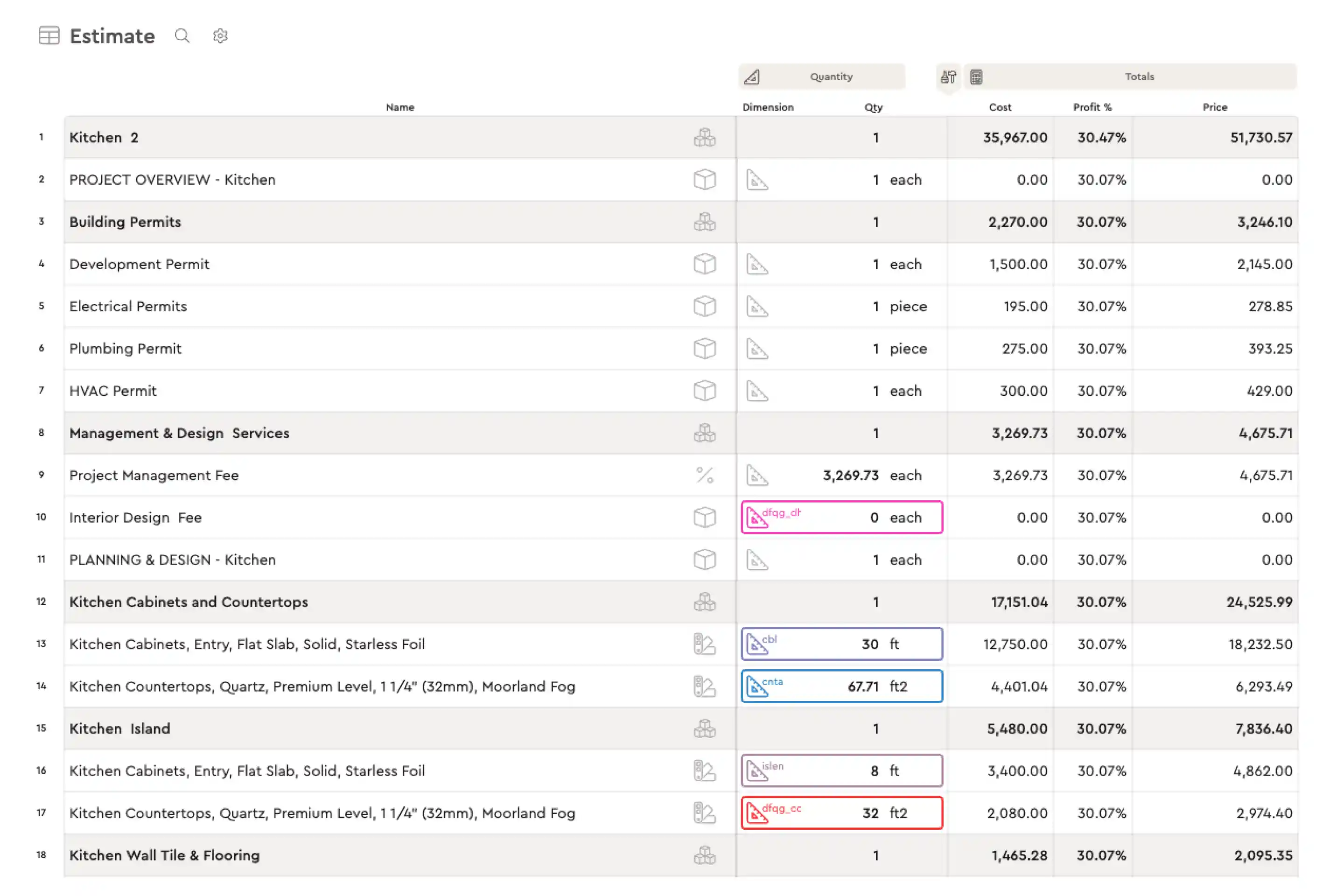
- Show the scope, not just a total: list the work by area and trade so the client can see what is included and what is not.
- Give choices: good, better and best finishes let clients spend what they are comfortable with, instead of asking you to cut your price.
- Use photos and descriptions: a picture of the actual vanity or tile makes the price easier to accept than a product code.
- Be clear about exclusions and allowances: most remodel disputes start with an assumption nobody wrote down.
- Make it easy to say yes: a digital signature and deposit request at the end of the proposal turns a "we'll think about it" into a booked job.
How Bolster handles remodeling estimates
Bolster's estimating is a spreadsheet-like builder with formulas attached to items, so quantities and costs update automatically when you enter dimensions.
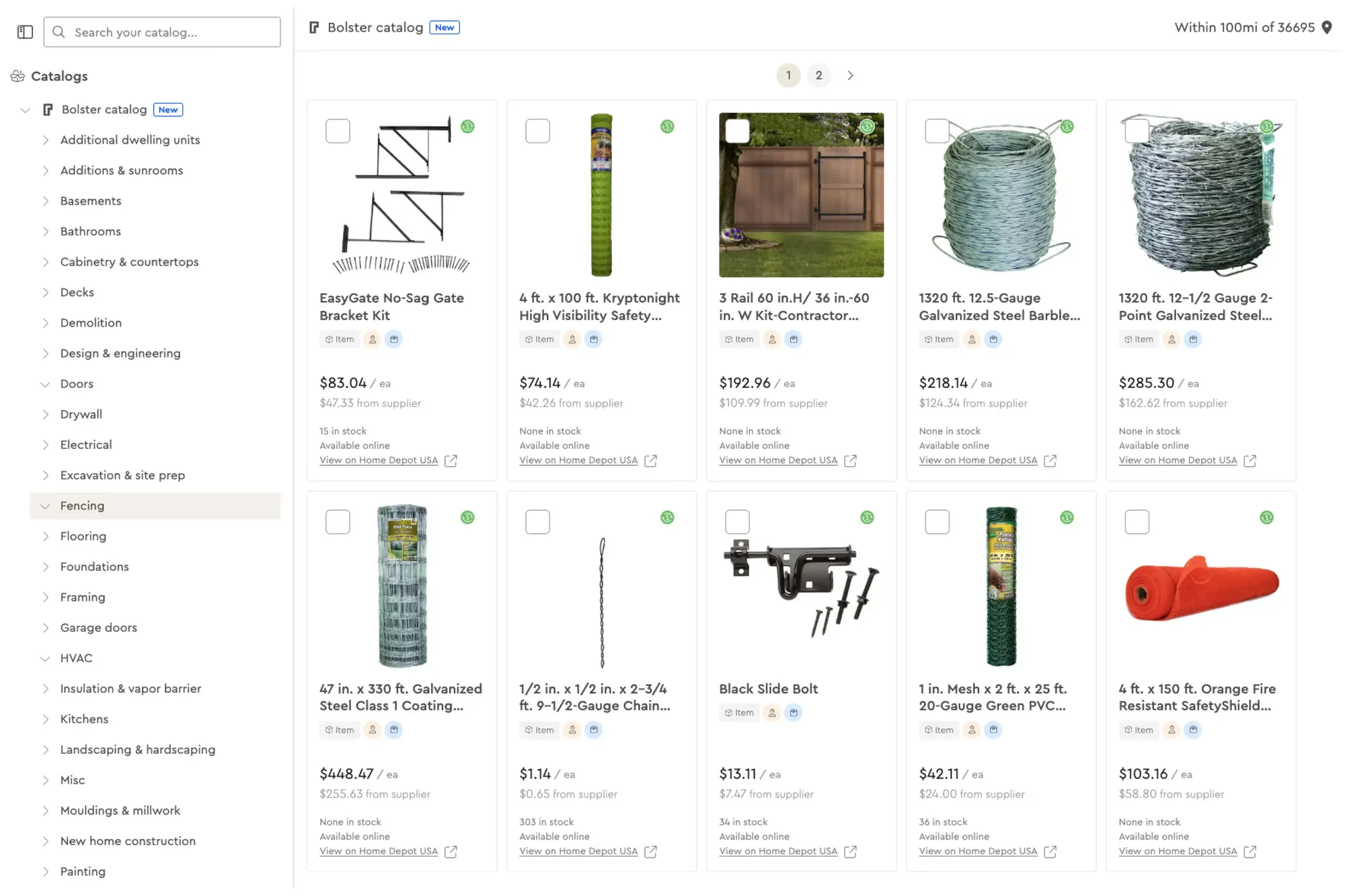
- AutoCost live pricing: AutoCost prices items from a catalog of more than 100 million real construction items using live, region-specific material and labor costs.
- Assemblies: reusable assemblies for kitchens, baths and other room types, built with your own materials, labor and margins.
- Takeoff: measure from plans or satellite imagery with takeoff and link dimensions directly to your estimate.
- Interactive proposals: every estimate becomes a presentation the client can review on a tablet at the kitchen table or by email, and sign on the spot.
- Upgrades and selections: clients pick finishes from good, better and best options, and the price adjusts automatically. Contractors using upsells win around 15% bigger jobs on average.
- Change orders: revisions and change orders are versioned and signed digitally, so scope changes get paid.
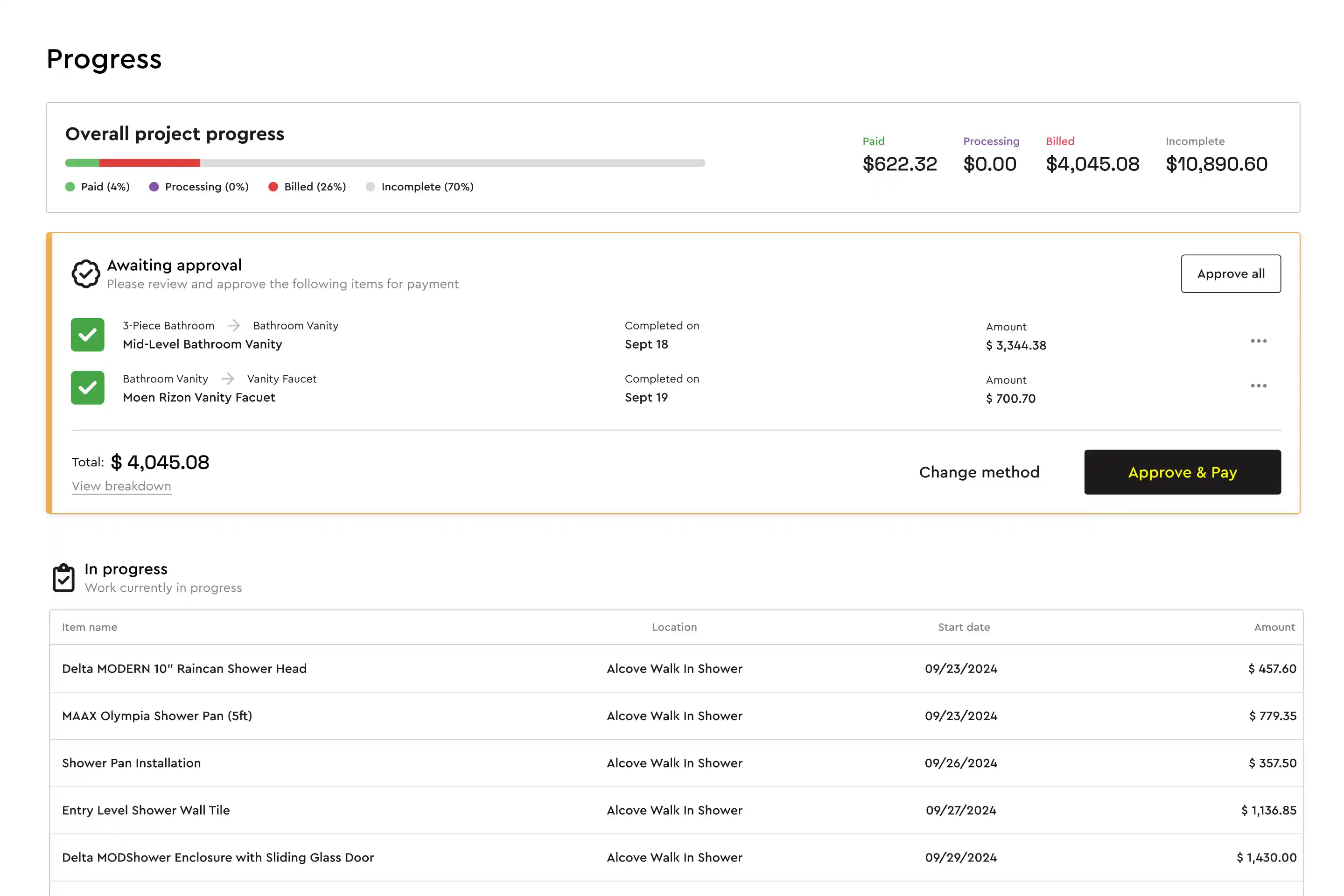
- Schedule, budget and payments: a booked job creates the schedule, material list and budget, and progress payments go out as tasks are completed.
Remodelers see the difference fast. Michael at MJK Builders says a bathroom estimate is "done before I leave the customer's home. Kitchen? 80% done before I leave." Terra Tech Surfaces cut estimating time from one to two hours down to about 15 minutes and expanded from bathrooms into kitchens and full remodels.
See how Bolster compares with Buildertrend and Houzz Pro, or book a demo and bring a recent remodel to price live.
Frequently asked questions
What is remodeling estimating software?
Remodeling estimating software helps renovation contractors build itemized quotes from measurements, materials and labor. It replaces spreadsheets with assemblies, current pricing and professional proposals, so estimates are faster and more accurate.
How do I estimate a kitchen remodel?
Measure the space, break the job into assemblies (demo, rough-ins, cabinets, counters, tile, fixtures, finishes), price labor from your production rates, add the small items and a contingency, then apply your markup. Offer finish options so the client can adjust scope without a full re-quote.
How much contingency should I add to a remodel?
Many remodelers use 10% to 20% because hidden conditions are common in older homes. Present it as a separate line so the homeowner understands it is reserved for genuine unknowns.
Can homeowners choose finishes inside the estimate?
In Bolster, yes. You can set up good, better and best upgrades and selections, and the client sees the price change as they choose. Selections can also trigger change orders automatically after the job is booked.
Does Bolster work for kitchen and bath remodelers specifically?
Yes. Kitchen and bath remodelers use Bolster assemblies for cabinets, counters, tile and fixtures, with live pricing from AutoCost and client selections for finishes.
Is remodeling estimating software worth it for a small company?
For most small remodelers, the time saved on estimates alone pays for it. Bolster users report spending 84% less time estimating on average, which is time you can spend selling or on site.