Construction CRM: how contractors track every lead from first call to final payment
A construction CRM is the system that holds every lead, estimate, job and client conversation in one place, so nothing slips between the first phone call and the final payment. For a residential contractor, that means you can see at a glance who is waiting on a quote, who opened the proposal last night, which jobs are booked and which invoices are still open.
Generic CRMs were built for sales teams selling software or insurance. A CRM for contractors has to understand estimates, change orders, schedules and progress payments, because in construction the sale does not end when the contract is signed. It keeps going until the last payment clears.
What a construction CRM should actually do
Most contractors already have a CRM. It is usually a mix of a notebook, a phone full of texts, an email inbox and a spreadsheet someone updates on Sunday night. The problem is not a lack of information. It is that the information lives in five places and nobody can see the whole picture.
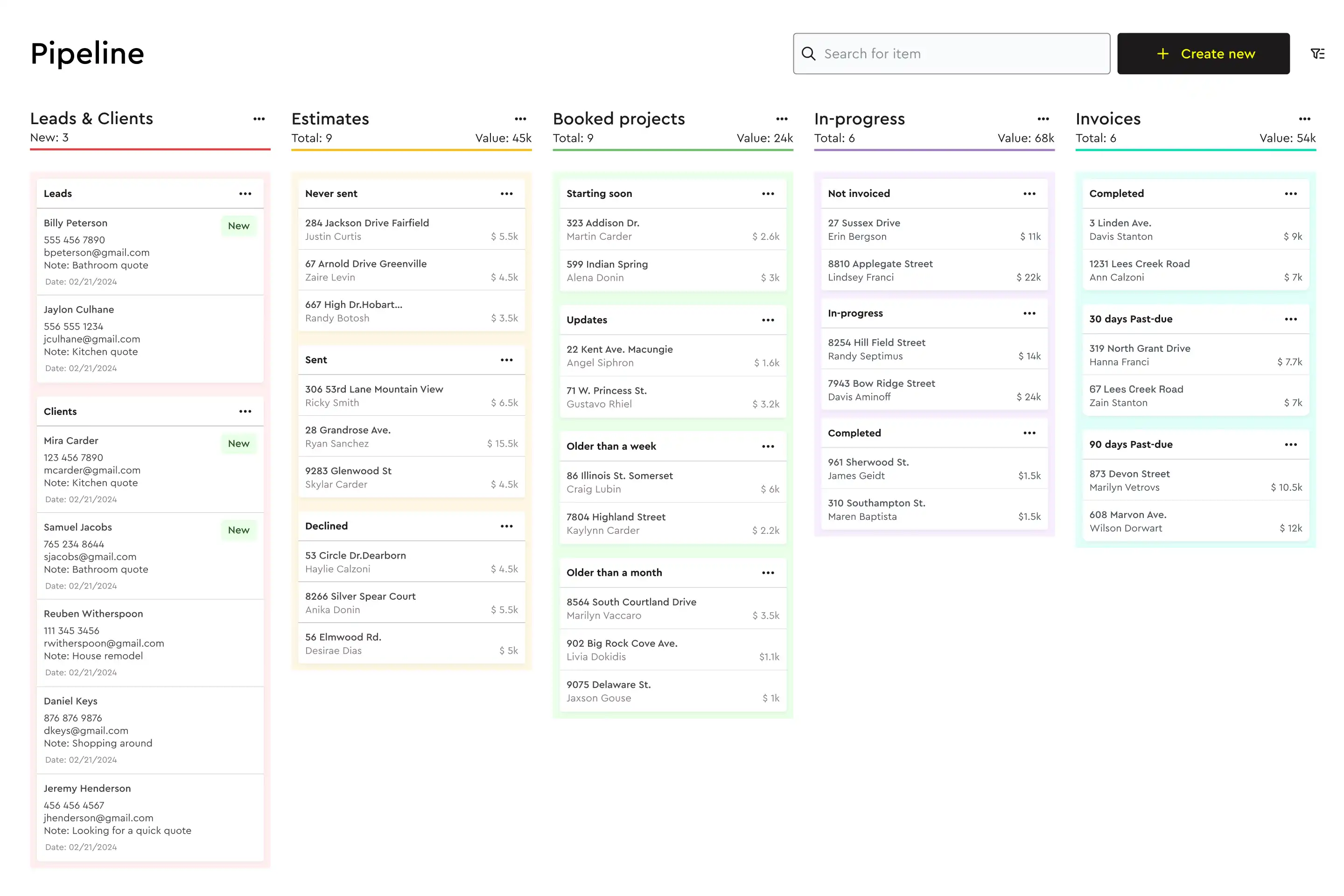
A good construction CRM software setup replaces that with one pipeline:
- Leads: every inquiry captured from your website, phone, referrals and lead forms, with the source recorded.
- Estimates: the quote attached to the client record, not buried in a folder.
- Booked jobs: the moment a client signs, the job moves forward with the estimate, schedule and budget already built.
- Active projects: tasks, messages and change orders tied to the same client.
- Payments: invoices and progress payments tracked against the job, so you know who still owes you.
If your CRM stops at "deal won", you will end up re-typing the job into three other tools. That is where errors and lost margin come from.
Why generic CRMs struggle in residential construction
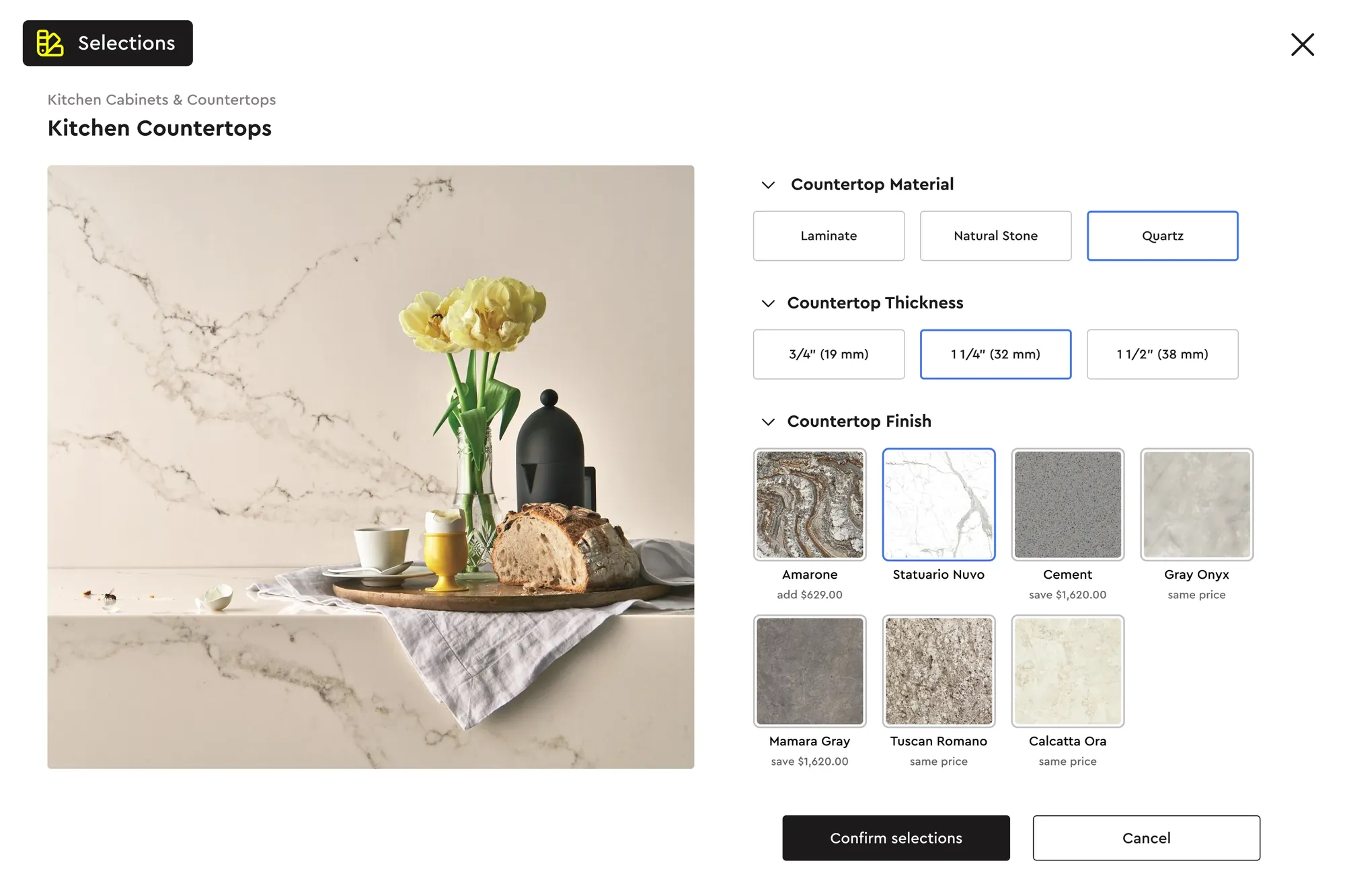
Remodelers, custom home builders and specialty trades run long, high-touch sales cycles. A kitchen remodel can take weeks of site visits, revisions and selections before a client commits. A generic CRM can log the calls, but it cannot show you which version of the estimate the client is looking at, or that they just swapped quartz for laminate.
Contractors who try to bend a generic CRM to fit usually hit the same walls:
- The estimate lives in a different program, so the CRM never knows the real job value.
- Follow-ups depend on someone remembering, not on what the client actually did.
- Once the job is sold, project details move to a separate tool and the client history is lost.
- Reporting on win rate or average job size means exporting and stitching spreadsheets together.
How to choose the best CRM for construction: a checklist
Use this list when comparing tools. If a product cannot tick most of these boxes, it will create more admin than it removes.
- Built around estimates: can you build, send and revise estimates inside the CRM, or does it only store a PDF?
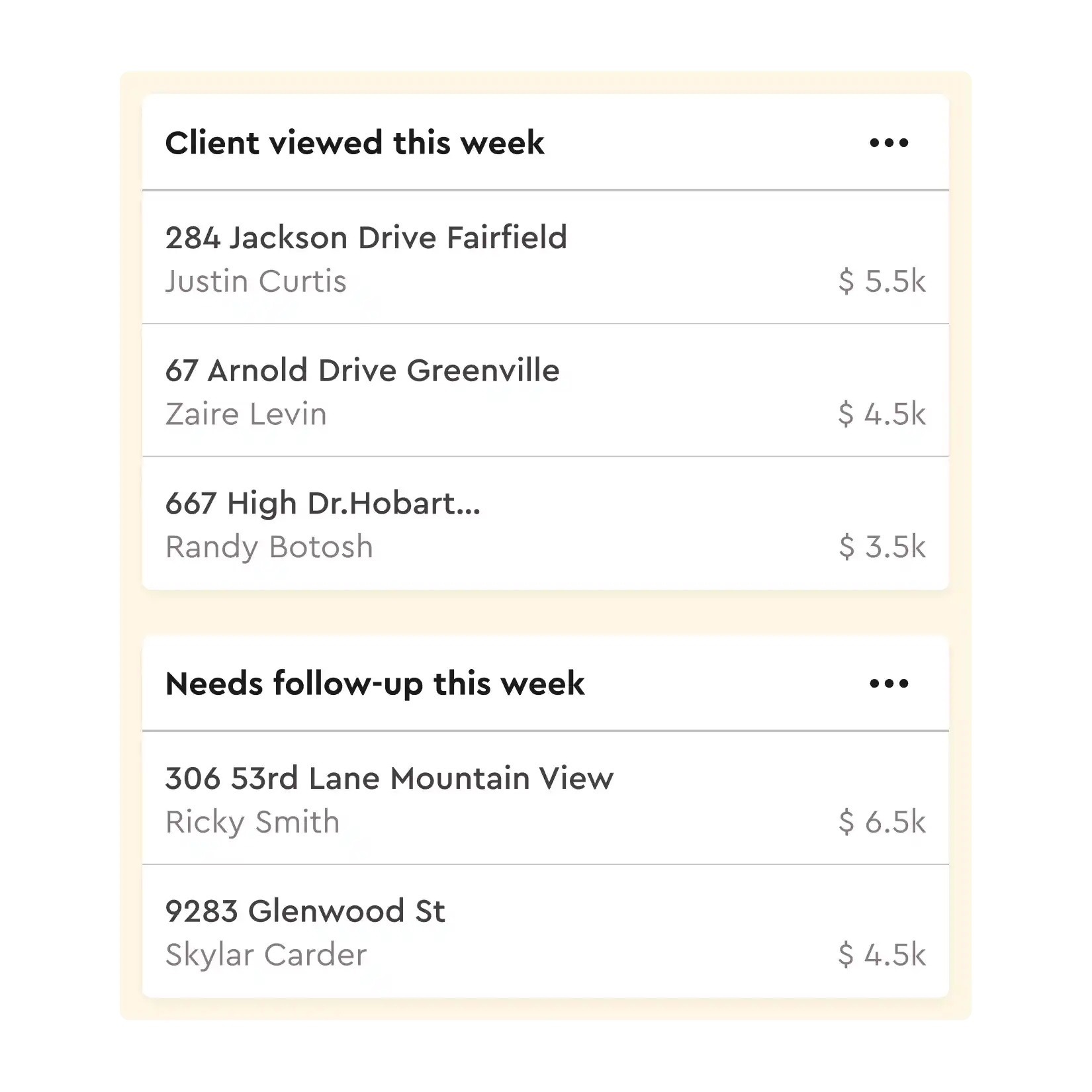
- Engagement tracking: does it alert you when a client opens or changes a quote, so you call at the right moment?
- Visual pipeline: can you see every lead and job by stage in a kanban view and spot where deals stall?
- Lead capture: are there embeddable lead forms or QR codes that drop new inquiries straight into the pipeline?
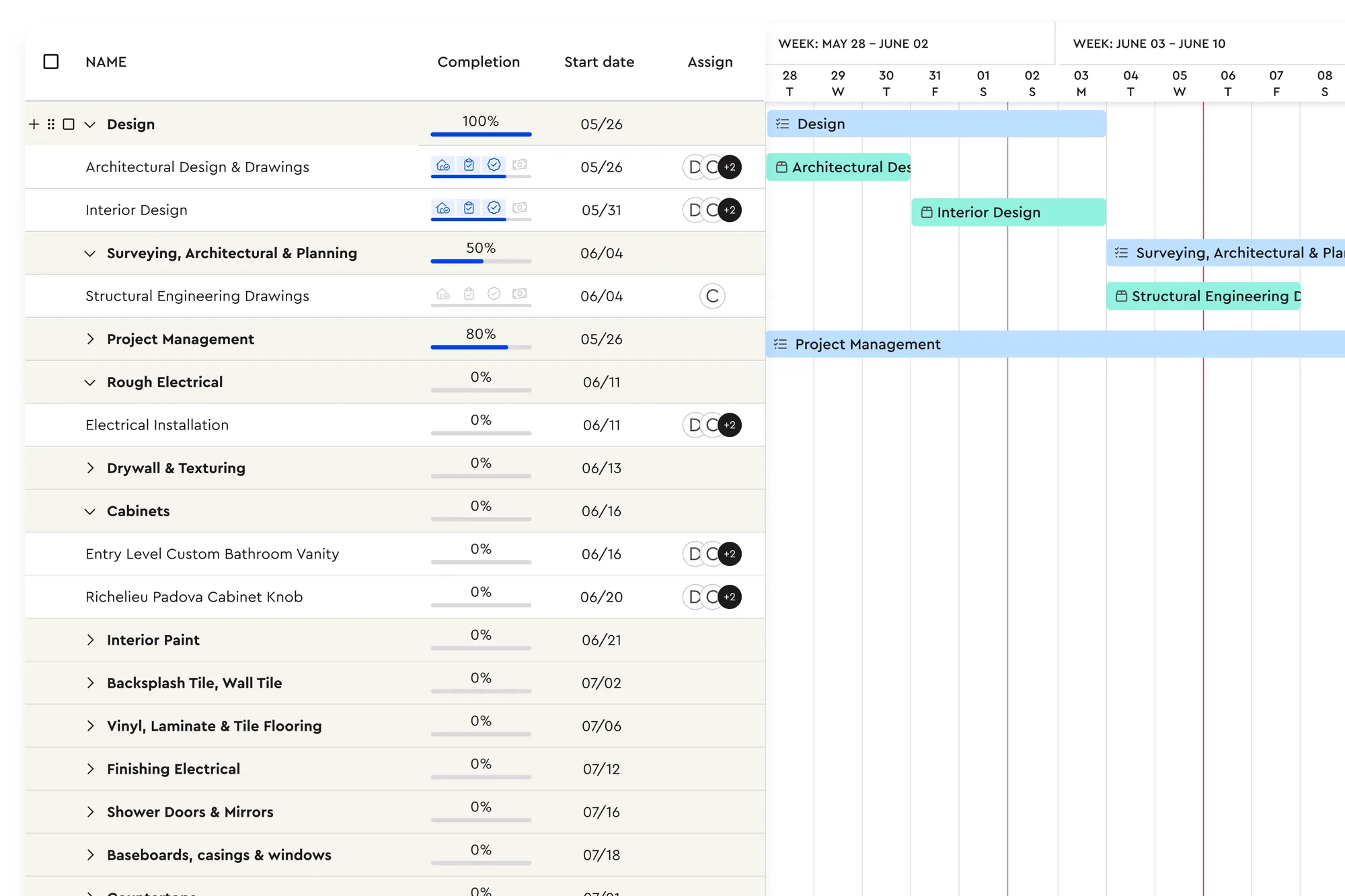
- Hand-off to the job: does a signed estimate turn into a schedule, material list and budget without re-entry?
- Payments: can you request deposits and progress payments from the same record?
- Client portal: can the homeowner see progress, approve change orders and pay online?
- Field access: does it work on a phone or tablet at the kitchen table, not just at a desk?
- Integrations: does it sync with QuickBooks and the tools you already use, such as CompanyCam?
A simple sales process to run inside your CRM
A CRM only works if the process behind it is clear. Here is a five-stage pipeline that suits most residential contractors:
- 1. New lead: respond the same day. Speed matters more than polish at this stage, and the first contractor to call back often gets the site visit.
- 2. Site visit booked: capture measurements, photos and the client's must-haves against the lead record.
- 3. Estimate sent: send a clear, itemized proposal with options. Watch for the open alert and follow up within a day of the client viewing it.
- 4. Booked: the client signs digitally and pays the deposit. The job moves into scheduling.
- 5. In progress to paid: progress payments go out as tasks are completed, and the record closes when the final invoice is paid.
Review the pipeline weekly. Leads that sit in "estimate sent" for more than two weeks need a call, a revised option or a decision to let them go.
Why lead response time decides so many jobs
Homeowners rarely call one contractor. They fill in two or three forms, or ring the first few names they find, and the contractor who gets back to them first usually earns the site visit. Many lost jobs are never really lost on price. They are lost because nobody called back until Thursday.
A construction CRM fixes this in two ways. First, new inquiries land in one place instead of across voicemail, email and social messages, so you can see what is waiting. Second, you can assign leads to a person, set a follow-up and see at a glance which ones have not been touched. For teams, round-robin distribution means leads are shared out automatically instead of sitting in an inbox.
The same logic applies after the estimate goes out. A client who opens your proposal three times in one evening is ready to talk. A client who has not opened it in a week needs a nudge, a simpler option or a call to understand what changed.
The numbers to track in your construction CRM
You do not need a dashboard full of charts. A handful of numbers tells you how healthy your sales pipeline is:
- Lead sources: where your best jobs come from (referrals, website, home shows, ads), so you spend marketing money in the right places.
- Response time: how long new leads wait for a first reply.
- Win rate: booked jobs divided by estimates sent. Track it by job type, because a bathroom and a full addition behave very differently.
- Average job size: whether options and upgrades are lifting the value of what you sell.
- Time in stage: how long jobs sit between estimate sent and signed. Long waits usually mean the proposal is unclear or the client is comparing quotes.
- Collected vs invoiced: how much booked work has actually been paid, which matters more to cash flow than revenue on paper.
Review these monthly. If win rate drops, look at your proposals. If time in stage climbs, look at your follow-up habits.
How Bolster works as a construction CRM
Bolster's CRM pipeline is part of the same platform you use to estimate, schedule and get paid, so the client record follows the job from start to finish.
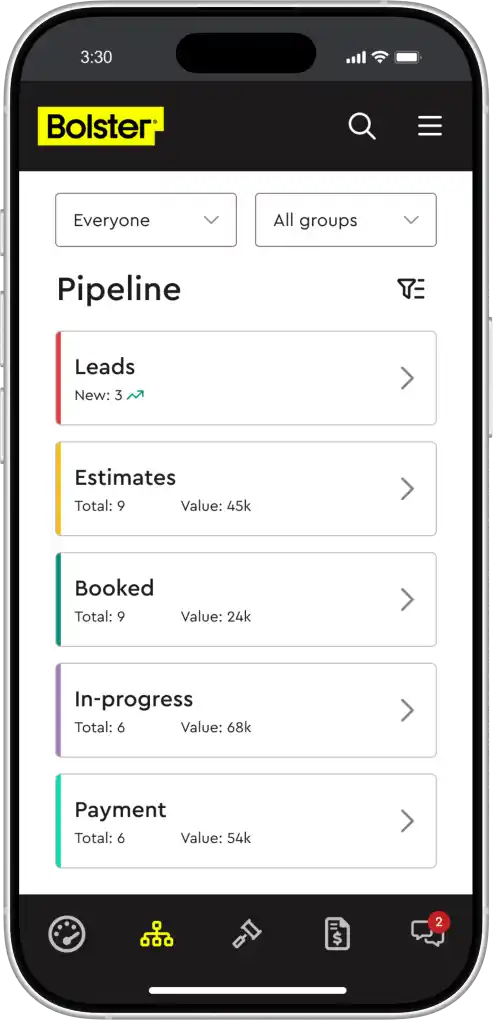
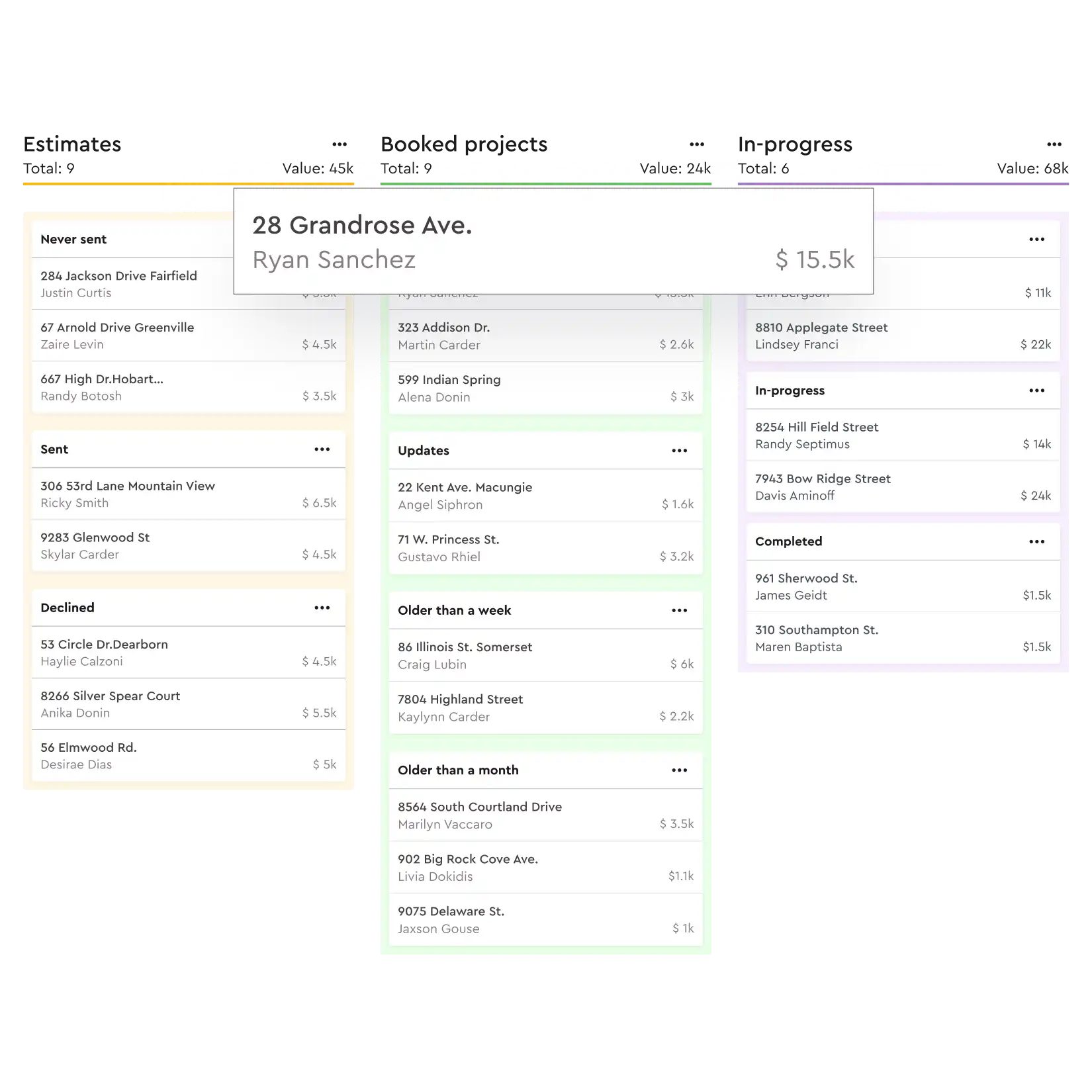
- Kanban pipeline: every lead and project in one view, moving through lead, estimate, booking, project and payment.
- Quote engagement alerts: you get notified when a client opens or modifies a quote, so follow-ups are based on real activity.
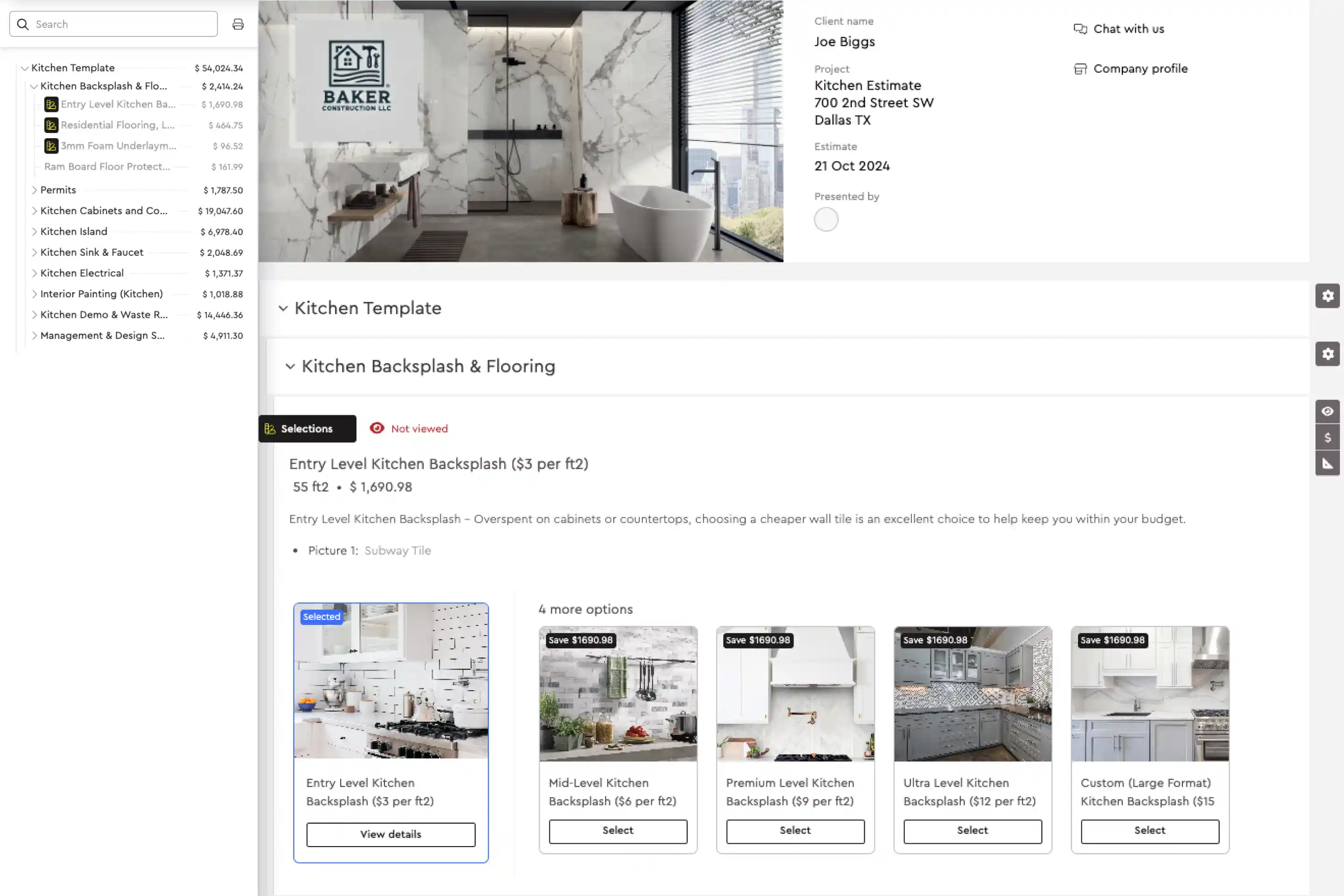
- Estimates in the record: estimates are built in Bolster and turn into interactive presentations automatically. On average, contractors using presentations close around 20% more jobs.
- Lead capture: embedded lead forms and QR codes feed new inquiries straight into the pipeline, with round-robin lead distribution for teams.
- From sale to job: a signed estimate becomes a schedule, material list and budget without re-typing.
- Payments and portal: clients approve change orders and pay deposits and progress payments online through the client portal.
- QuickBooks and CompanyCam: client and job data sync with the tools you already run.
Contractors tell us the biggest change is not the software itself. It is that they stop chasing information. As Michael at MJK Builders put it, saving two hours a week on projects adds up to around a hundred hours a year.
If you are comparing options, see how Bolster stacks up against Buildertrend and JobTread, or book a demo to see the pipeline with your own jobs.
Frequently asked questions
What is a construction CRM?
A construction CRM is customer relationship management software built for contractors. It tracks leads, estimates, booked jobs and payments in one pipeline, so you can see every client and every job from first contact to final invoice.
What is the best CRM for contractors?
The best CRM for contractors is one that is built around estimates and jobs, not just contacts. Look for engagement alerts on quotes, a visual pipeline, lead capture, a hand-off from signed estimate to schedule and budget, online payments and a client portal.
Do small contractors need a CRM?
Yes, often more than large firms. A one or two person business loses jobs when follow-ups depend on memory. A simple CRM pipeline makes sure every lead gets a response and every sent estimate gets a follow-up.
Can I use a generic CRM like HubSpot or Salesforce for construction?
You can, but you will need separate tools for estimating, scheduling and payments, and you will re-enter data between them. A construction CRM keeps the estimate, the job and the client history together.
Does Bolster's CRM integrate with QuickBooks?
Yes. Bolster syncs customer information, line items, tax and payments with QuickBooks, and it also integrates with CompanyCam and Zapier.
How does a CRM help me win more jobs?
It helps you respond faster, follow up at the right moment and send a better proposal. Bolster alerts you when a client opens your quote, and its auto-generated presentations help contractors close around 20% more jobs on average.