Construction Estimating Software: How to Choose It and How to Use It
Construction estimating software turns a scope of work into a priced, itemized number you can defend. Good software does three jobs at once: it measures quantities, it prices labor and materials from current costs, and it turns the finished estimate into a proposal the client can approve. If your tool only does one of those, you are still retyping numbers between spreadsheets, supplier quotes and Word documents, and that is where most estimating mistakes come from.
This guide covers what estimating software actually does, how it compares to Excel, what to look for when you choose one, and a worked example of building an estimate in Bolster.
What does construction estimating software do?
At its core, estimating software is a structured cost database plus a calculator. You describe the job (a 12 x 16 deck, a primary bathroom remodel, a 2,400 sq ft custom home) and the software works out how much material and labor that scope needs and what it will cost.
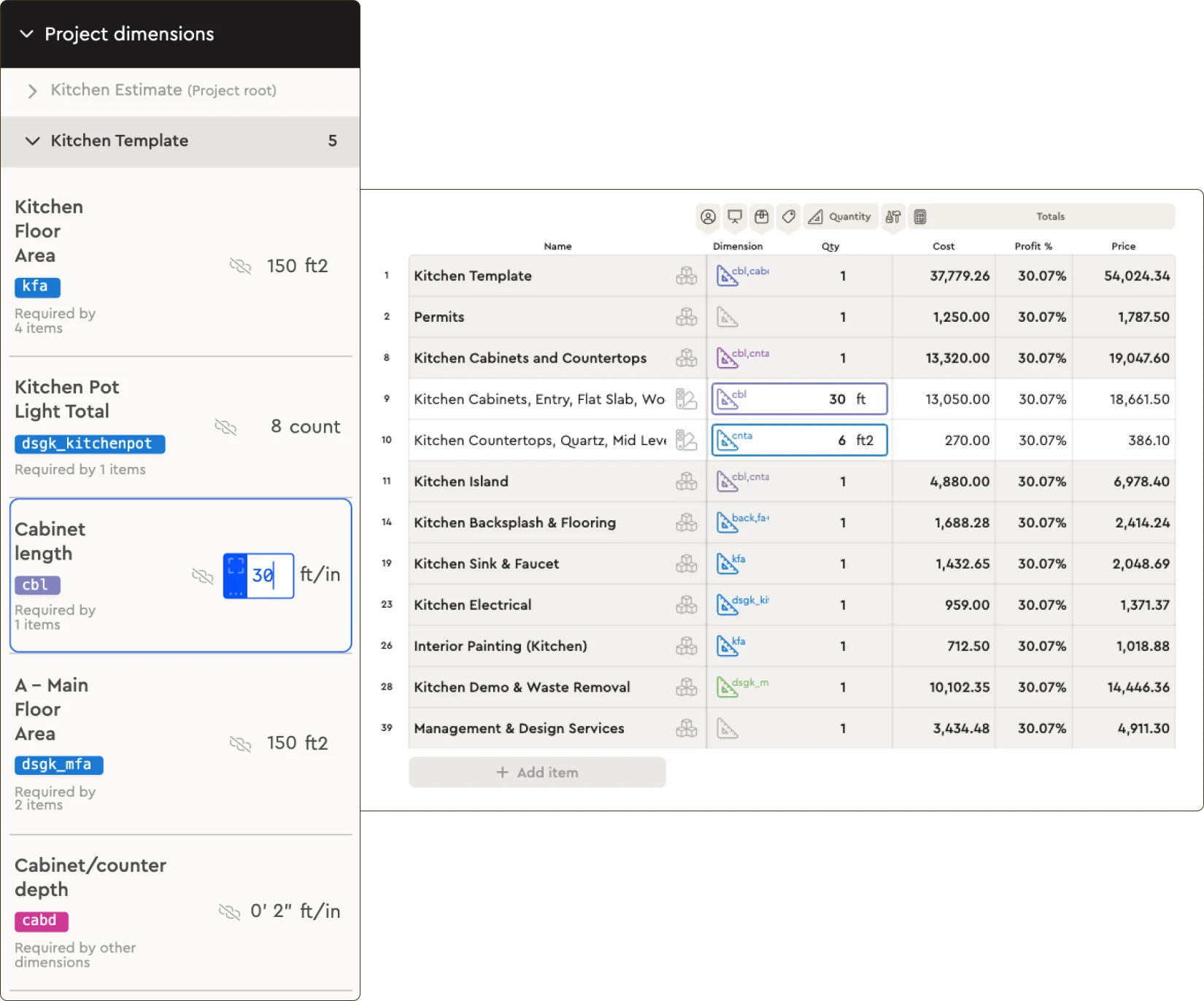
- Quantities. Measurements from a takeoff (area, length, count) feed the items in your estimate, so 320 sq ft of flooring automatically becomes the right number of boxes, underlayment rolls and labor hours.
- Pricing. Each item carries a material cost, a labor cost and your markup. Better tools pull current regional prices instead of last year's numbers.
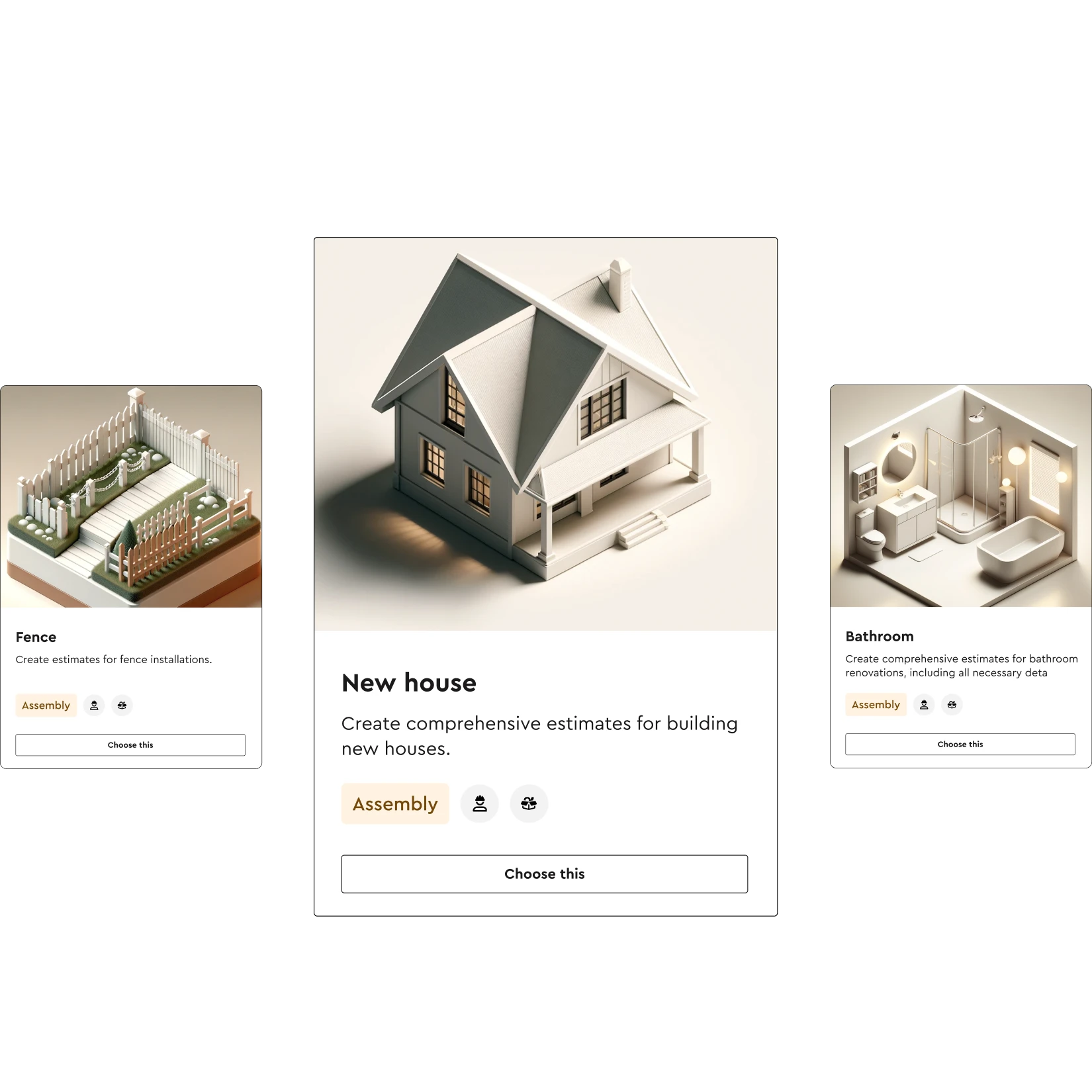
- Assemblies. Groups of items that always go together (a framed wall, a tiled shower, a fence section) so you price a whole system in one step instead of thirty lines.
- Output. A client-ready quote or proposal, plus the material list, budget and schedule the crew needs once the job is won.
Estimating software vs Excel
Most contractors start in Excel, and plenty still use it. A spreadsheet is flexible and free, but it has limits that show up as you grow:
- Prices go stale. Every material cost is a number someone typed in months ago.
- Formulas break. One overwritten cell or a missed row can wipe out the profit on a job, and nobody notices until the invoice is paid.
- Nothing connects. The estimate does not become a proposal, a material order, a schedule or an invoice without someone retyping it.
- Only one person really understands it. When the owner built the spreadsheet, the owner is the bottleneck.
Estimating software keeps the flexibility (you can still build your own items and formulas) while fixing the parts that cost money: live pricing, reusable assemblies and a single estimate that flows into everything downstream.
What to look for in construction estimating software
Use this checklist when you compare tools, including Bolster:
- Built for your type of work. Residential remodelers, custom builders and specialty trades estimate differently from commercial contractors bidding public work. Software designed for heavy civil or commercial bid day will feel slow for a kitchen remodel.
- Live material and labor pricing. Ask where prices come from and how often they update. A cost database that is a year old is just a faster way to be wrong.
- Assemblies and templates. You should be able to save the way you build a bathroom or a deck once and reuse it with new dimensions every time.
- Takeoff connected to the estimate. Measurements should drive quantities directly, not be copied across by hand. See our guide to construction takeoff software.
- Professional proposals from the same data. If you have to rebuild the estimate in a separate proposal tool, you will lose time and make errors.
- Options and upgrades. Clients like choices. Software that lets them pick between good, better and best finishes raises the average job size without extra estimating.
- What happens after the job is won. Budgets, schedules, change orders and invoices should come from the estimate automatically.
- Mobile and cloud access. You should be able to finish an estimate in the client's kitchen, not at your desk at 11pm.
- Onboarding and support. The best tool is the one your team actually uses. Ask who builds your item library and how much help you get in the first 90 days.
Construction quoting software vs estimating software
People search for both, and the line between them is blurry. Quoting software usually means the client-facing part: a clean, branded quote with a price and terms. Estimating software is the engine behind it that works out the price. For residential contractors you want both in one place, so the quote is generated from the estimate instead of retyped. In Bolster the estimate becomes an interactive presentation automatically, with digital signature built in.
Worked example: estimating a bathroom remodel
Here is how a typical 5 x 8 bathroom remodel comes together in Bolster. The numbers are illustrative, not a price list.
- 1. Start from an assembly. Pick your saved "full bathroom remodel" assembly. It already contains demolition, plumbing rough-in, a tub or shower, tile, vanity, toilet, fixtures, drywall repair, paint and cleanup, with your labor hours and markup on each line.
- 2. Enter the dimensions. Floor 40 sq ft, walls 8 ft high, shower surround 60 sq ft of tile. Every quantity in the assembly recalculates: tile and thinset, backer board, grout, trim, labor hours.
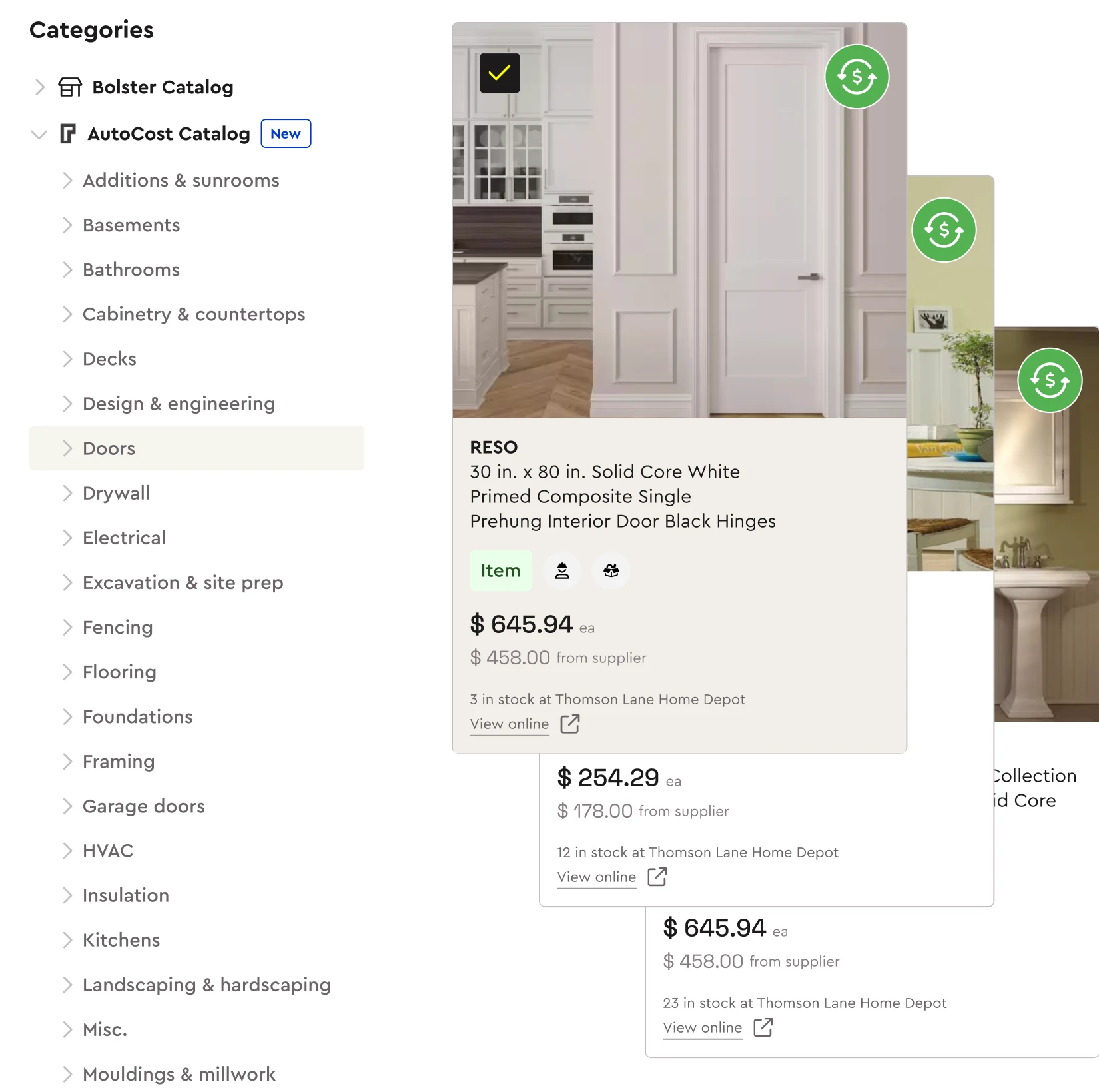
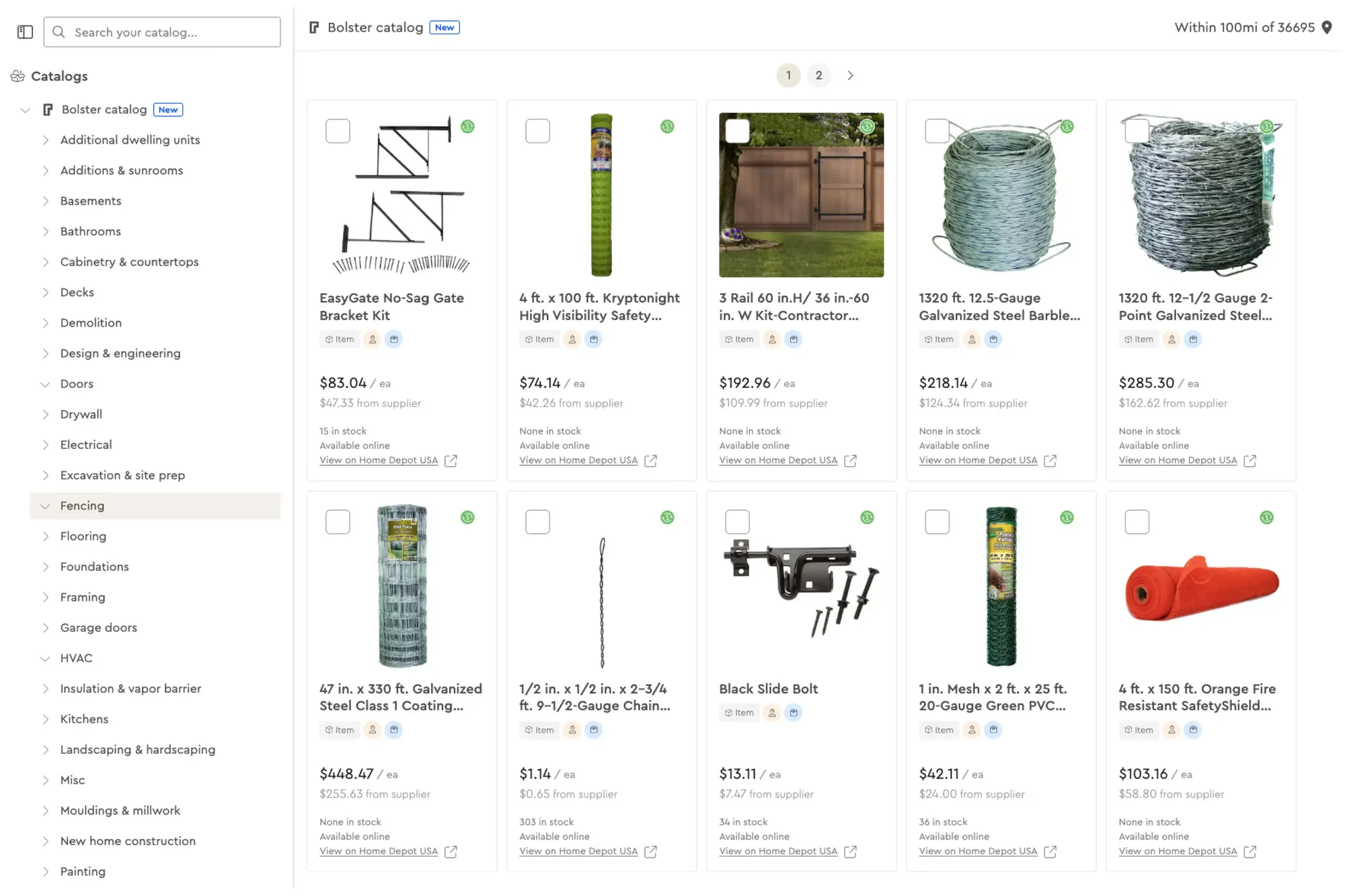
- 3. Check live pricing. With AutoCost, material and labor prices come from current regional data, so the tile and fixtures reflect what you will actually pay this month, not what you paid last spring.
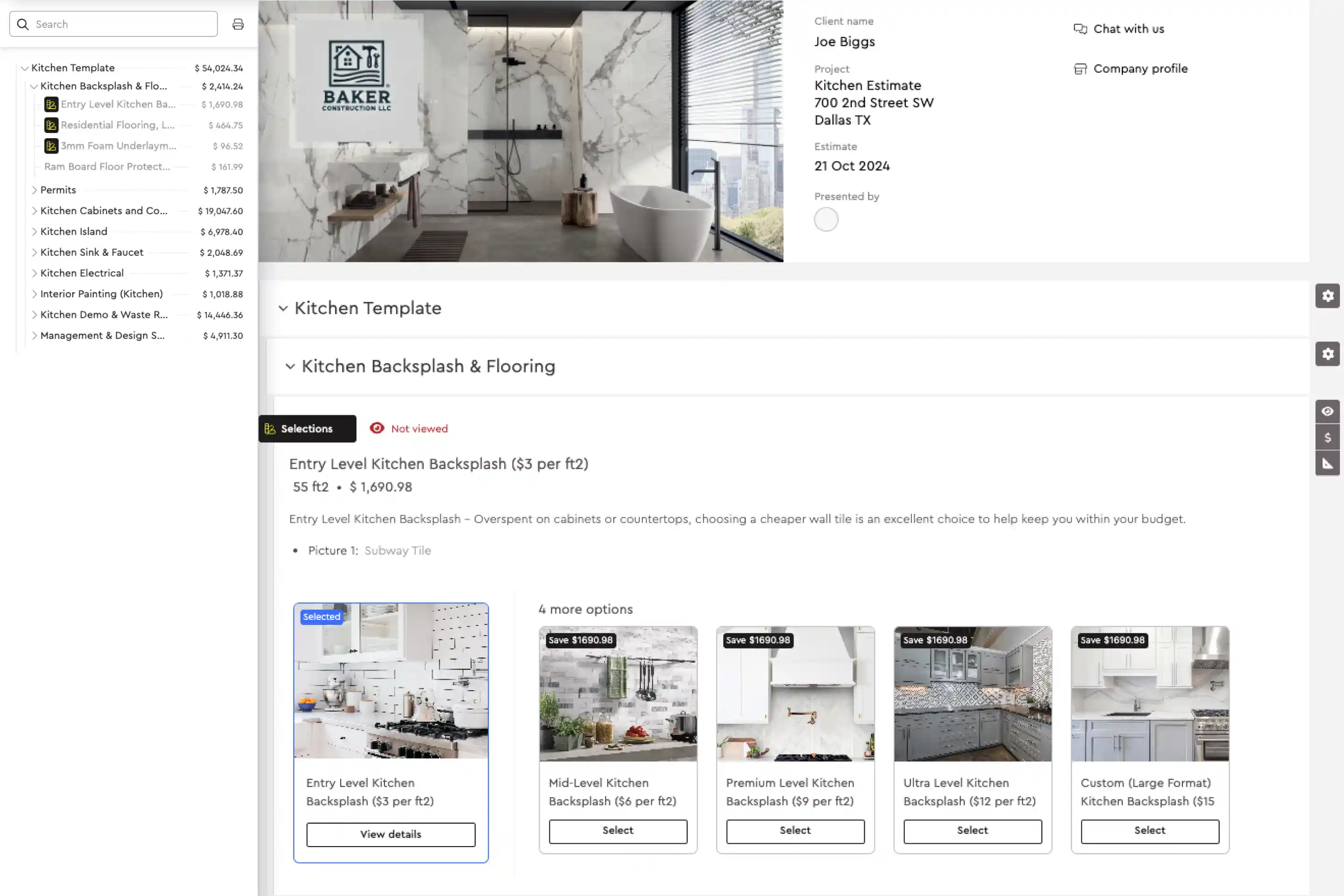
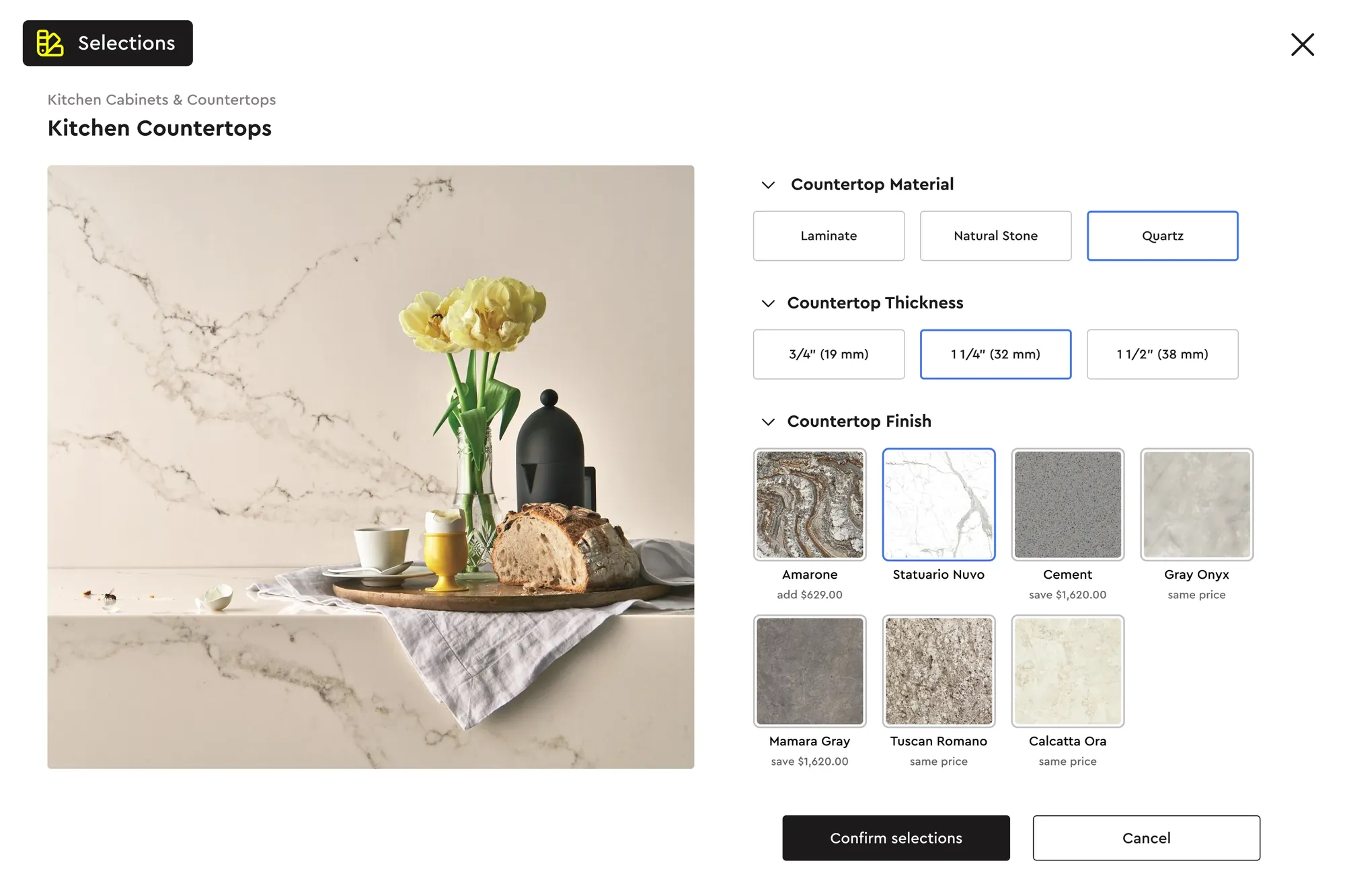
- 4. Add options. Offer the standard vanity as the base and a quartz-top vanity and a frameless glass door as upgrades. The client sees the price of each choice. See options, upgrades and selections.
- 5. Send the presentation. The estimate becomes a branded proposal with photos and descriptions. The client picks options, signs digitally and pays the deposit online.
- 6. Win the job, and the admin is done. The material list, budget and schedule are created from the same estimate. If the client changes the tile later, a change order is generated for approval.
Michael at MJK Builders put it simply: "With a bathroom, done before I leave the customer's home. Kitchen? 80% done before I leave."
How Bolster estimating works
Bolster was built for residential builders, remodelers and specialty trades in the US and Canada. The estimating engine works like a spreadsheet, so it feels familiar, but every item has formulas attached so costs update as dimensions change.
- Items, assemblies and formulas. Build your own library or start from pre-built assemblies. Nest assemblies so a "kitchen" contains cabinets, countertops, backsplash and electrical, each with its own rules.
- AutoCost. Over 100 million real construction items with live, region-specific material and labor pricing and local store stock by zip code.
- Takeoff. Measure from uploaded plans, satellite imagery or a sketch, and link those dimensions straight to your items and assemblies.
- Presentations. Every estimate becomes a professional, interactive proposal automatically. Contractors using presentations close 20% more jobs on average.
- Options and upgrades. Clients choose their own finishes. Contractors using upgrades and options win 15% bigger jobs on average.
- Everything after the sale. Material lists, budgets, schedules, change orders, client portal and payments all come from the estimate.
On average, Bolster users spend 84% less time estimating. HB Builders went from 8 to 9 days per estimate in Excel to about 30 minutes. Mangino Home Improvements cut estimates from 8 hours to 30 minutes and now quotes full custom homes.
Estimating apps for the field
A lot of searches are for an "estimating app" because contractors want to price jobs on site. Bolster runs in the browser on any tablet or laptop and has iOS and Android apps, so you can measure, price and present at the client's home. That matters because the contractor who sends a clear, professional quote first usually wins.
Who Bolster estimating is for
Bolster suits general contractors, remodelers, custom home builders and trades such as decking, fencing, roofing and siding, landscaping, painting and flooring. If you are comparing tools, see how Bolster stacks up against Buildertrend and JobTread, or book a demo and we will build an estimate for one of your real jobs.
Frequently asked questions
What is the best construction estimating software for residential contractors?
The best tool is the one built for your work. Residential contractors should look for live material and labor pricing, reusable assemblies, takeoff linked to the estimate, and proposals generated from the same data. Bolster was built specifically for residential builders, remodelers and trades.
Is estimating software better than Excel?
For most growing contractors, yes. Excel is flexible but prices go stale, formulas break and nothing connects to proposals, schedules or invoices. Estimating software keeps your own pricing logic while adding live costs and reusable assemblies.
How accurate is construction estimating software?
Accuracy depends on your quantities and your prices. Linking takeoff measurements to assemblies removes most counting errors, and live regional pricing removes stale costs. Prestige Home Renovations reports 95% estimating accuracy and more than $1,000 of margin recovered per job with Bolster.
What is the difference between estimating software and quoting software?
Estimating software works out what a job will cost. Quoting software presents the price to the client. Bolster does both: the estimate automatically becomes an interactive proposal the client can sign and pay from.
Can I estimate on site with a tablet or phone?
Yes. Bolster runs in the browser and has iOS and Android apps, so you can measure, price and present a proposal while you are still at the client's home.
How long does it take to set up estimating software?
It depends on how much of your pricing you bring with you. Bolster includes pre-built assemblies and AutoCost pricing to start from, plus onboarding and coaching to build your own item library.